> ## Documentation Index
> Fetch the complete documentation index at: https://tomee-mintlify-5e4b4d00.mintlify.site/llms.txt
> Use this file to discover all available pages before exploring further.

# 评论

> 在编辑器中对页面留下行内评论，与团队成员反馈意见、提出问题并讨论更改。

评论功能可让你和你的团队针对页面中的特定文本留下反馈，而无需修改内容。使用评论在发布之前提出问题、指出问题或讨论更改。

评论仅存在于编辑器内部。它们永远不会包含在已发布的网站中，也不会提交到你的仓库。

所有[角色](/zh/dashboard/roles)——viewers、editors 和 admins——都可以留下评论并回复评论。只有 editors 和 admins 可以解决评论线程。

如果你的分支有一个已打开的 pull request，Mintlify 会将未解决的评论线程摘要添加到该 pull request 的描述中。摘要会列出包含未解决评论的文件、每个线程中的第一条评论，以及跳转到编辑器中相应评论的链接。

当你添加、解决或删除评论时，摘要会自动更新。

<div id="add-a-comment">
  ## 添加评论
</div>

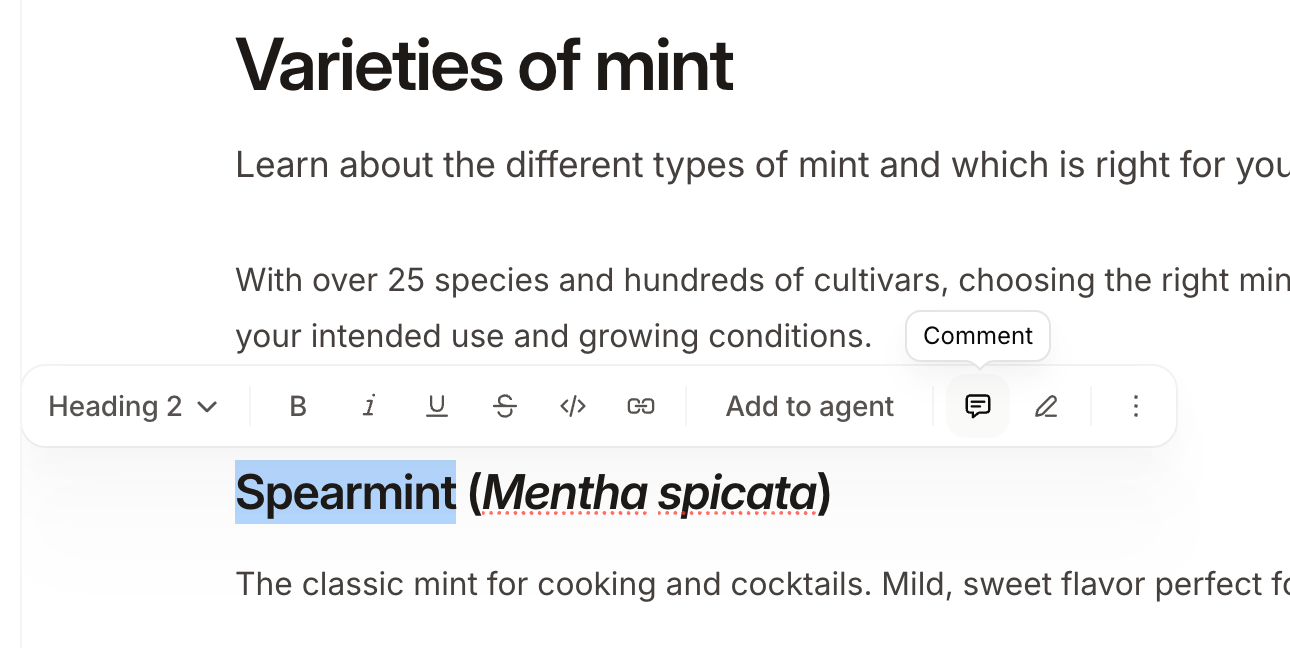
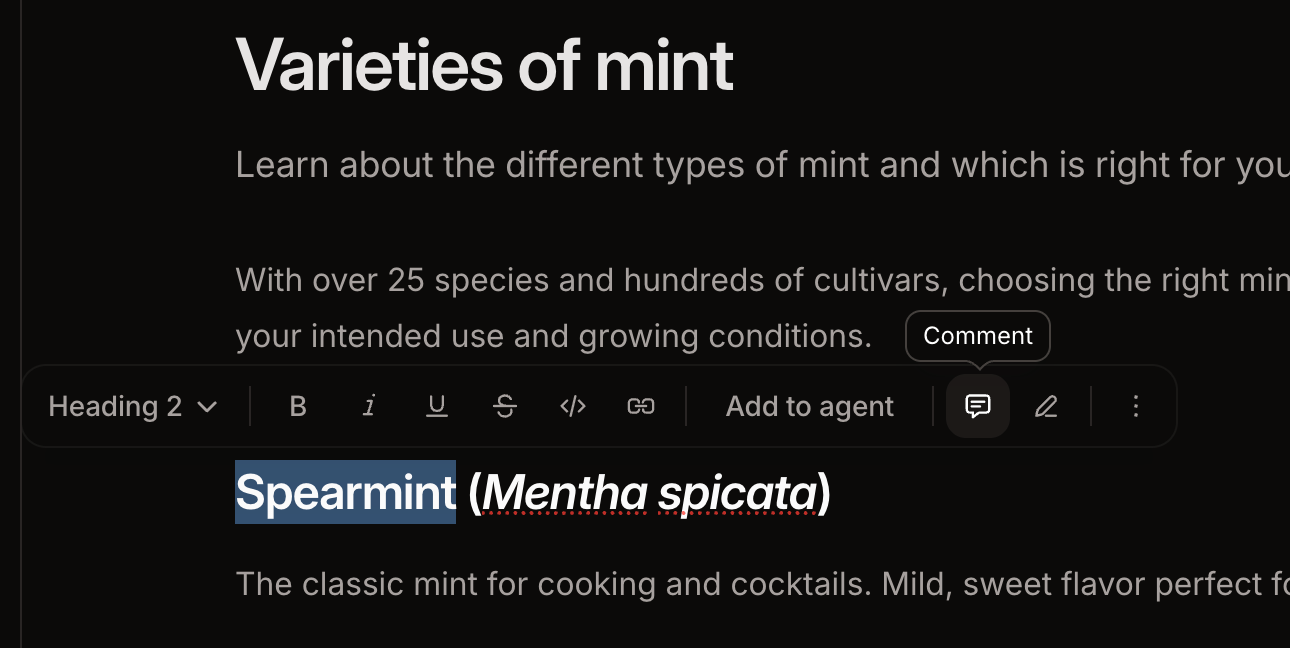
1. 选中要评论的文本。
2. 在工具栏中点击 <Icon icon="message-square-text" /> **Comment** 图标。
3. 输入评论内容，然后按 <kbd>Enter</kbd> 提交。

<Frame>
  <img src="https://mintcdn.com/tomee-mintlify-5e4b4d00/PkpR2spA_uxTyutu/images/editor/comment-light.png?fit=max&auto=format&n=PkpR2spA_uxTyutu&q=85&s=34cbcd089e54d02f3bf1e72b355a92f3" alt="网页编辑器中，选中文本上方的悬浮工具栏中的评论按钮。" className="block dark:hidden" width="1290" height="648" data-path="images/editor/comment-light.png" />

  <img src="https://mintcdn.com/tomee-mintlify-5e4b4d00/PkpR2spA_uxTyutu/images/editor/comment-dark.png?fit=max&auto=format&n=PkpR2spA_uxTyutu&q=85&s=21d1601d138e1431cb3492f5bd27fc94" alt="网页编辑器中，选中文本上方的悬浮工具栏中的评论按钮。" className="hidden dark:block" width="1290" height="648" data-path="images/editor/comment-dark.png" />
</Frame>

<div id="reply-to-a-comment">
  ## 回复评论
</div>

要打开评论线程，请点击带高亮的文本或点击评论侧边栏中的线程。输入你的回复，然后按 <kbd>Enter</kbd> 提交。

<Frame>
  <img src="https://mintcdn.com/tomee-mintlify-5e4b4d00/PkpR2spA_uxTyutu/images/editor/reply-light.png?fit=max&auto=format&n=PkpR2spA_uxTyutu&q=85&s=2ff1b36894395f8b21e0beffba208872" alt="网页编辑器中打开的评论线程和侧边栏中的两个评论线程。" className="block dark:hidden" width="2014" height="384" data-path="images/editor/reply-light.png" />

  <img src="https://mintcdn.com/tomee-mintlify-5e4b4d00/PkpR2spA_uxTyutu/images/editor/reply-dark.png?fit=max&auto=format&n=PkpR2spA_uxTyutu&q=85&s=7fad1b55d16bb4f0bb4d4aa2daaf4fb5" alt="网页编辑器中打开的评论线程和侧边栏中的两个评论线程。" className="hidden dark:block" width="2008" height="378" data-path="images/editor/reply-dark.png" />
</Frame>

<div id="mention-a-teammate">
  ## 提及团队成员
</div>

在评论或回复中输入 `@` 即可提及团队成员。你只能提及所属组织中的成员。

被提及的团队成员会收到电子邮件通知。

<div id="resolve-a-comment">
  ## 解决评论
</div>

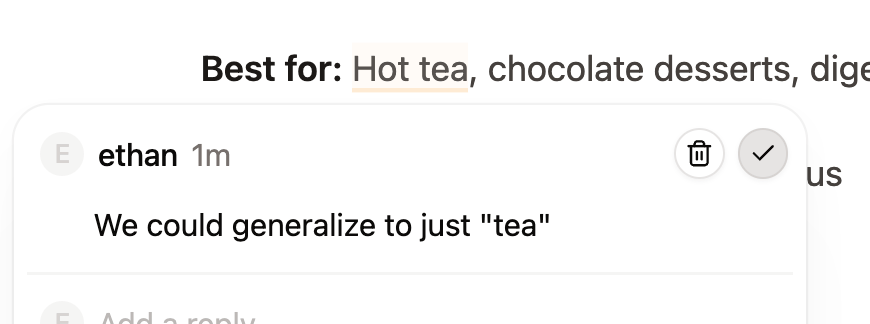
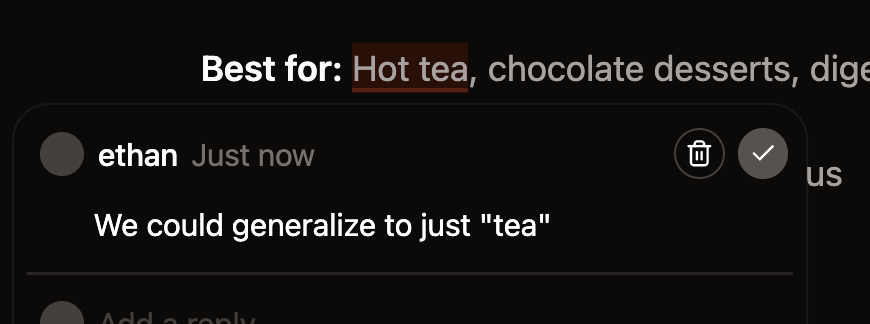
当讨论结束时，editors 和 admins 可以解决评论线程。

点击对勾图标可解决线程。 已解决的讨论线程会从评论侧边栏中移除，页面上的高亮也会被清除。

<Frame>
  <img src="https://mintcdn.com/tomee-mintlify-5e4b4d00/PkpR2spA_uxTyutu/images/editor/resolve-light.png?fit=max&auto=format&n=PkpR2spA_uxTyutu&q=85&s=d6c8a06386bffc51182949d385936d70" alt="网页编辑器中打开的评论线程，用于解决线程的对勾图标高亮显示。" className="block dark:hidden" width="870" height="324" data-path="images/editor/resolve-light.png" />

  <img src="https://mintcdn.com/tomee-mintlify-5e4b4d00/PkpR2spA_uxTyutu/images/editor/resolve-dark.png?fit=max&auto=format&n=PkpR2spA_uxTyutu&q=85&s=a42b1cdb3ca7f879a1d8e7b72d68837c" alt="网页编辑器中打开的评论线程，用于解决线程的对勾图标高亮显示。" className="hidden dark:block" width="870" height="324" data-path="images/editor/resolve-dark.png" />
</Frame>

<div id="delete-a-comment">
  ## 删除评论
</div>

点击评论旁边的垃圾桶图标即可删除该评论。删除线程中的第一条评论会删除整个线程。

你可以删除自己的评论。admins 可以删除任何评论。